A Smart TV app that is free*, reliable and easy to use
SmartTV Club is one of the most popular IPTV players for Smart TVs. Add the playlist from your IPTV provider and watch your channels, films and series on the big screen.
* Free during the trial period.
Watching in three steps
SmartTV Club is a player. The channels come from your IPTV provider’s playlist.
Install the app
Find SmartTV Club in your TV’s app store: LG Content Store, Samsung Apps, Google Play, App Store or Roku.
Open it on your TV
The TV shows its TV ID and a QR code on the start screen and in Settings.
Add your playlist
Scan the QR code with your phone, or enter the TV ID here and paste the link from your provider.
Why SmartTV Club
Made for the remote control, and for families who share one TV.
Easy on the remote
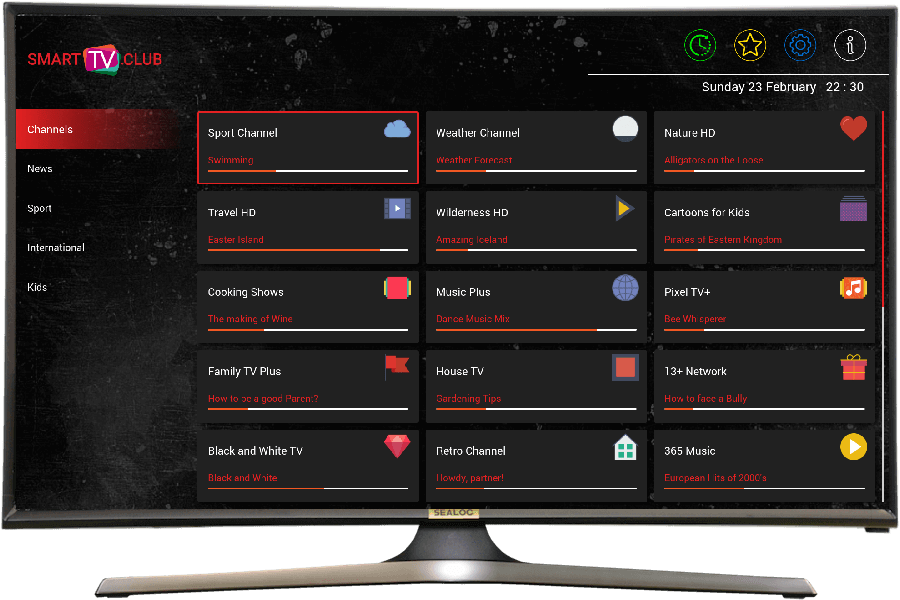
Categories, favourites and a layout anyone who has used YouTube on a TV will know.
Search everything
Find a channel, film or series by name across your whole playlist.
TV guide and logos
Programme guide and channel logos matched to your country.
Control from your phone
Pair the mobile app to send playlists and commands to the TV.
Installed on millions of TVs
- LG
- >1.5M
- Samsung
- >1.2M
- Android TV
- Available now
- Roku
- Available now
- Android phone
- Available now
- iPhone / iPad
- Available now
How to find the app
Frequently asked questions
- What is SmartTV Club?
- SmartTV Club is an IPTV player for Smart TVs. It plays the playlist from your IPTV provider, with search, several playlists, parental control and remote control from your phone.
- Why can't I see any channels when I open the app?
-
SmartTV Club is a player: it has no channels or playlists of its own. Add the playlist from your IPTV provider: an M3U link, a playlist file or Xtream login details.
Need help? Write to us via Contact us.
- The app is installed. What next?
- Scan the QR code in the SmartTV Club app with your phone. On the page that opens, add the playlist from your IPTV provider. Your TV gets it in a moment.
- Do I have to pay for SmartTV Club?
-
SmartTV Club is free during the trial period. After it, a subscription keeps the app fully available.
Your IPTV provider's service is paid to the provider, not to us.
- How do I get my playlist onto my TV?
- Scan the QR code in the SmartTV Club app, or open Upload Channels on this site and follow the steps. Your TV picks the playlist up by itself.
Contact us
Get the app today
Available on LG, Samsung, Android TV, Apple and Roku.


